WCAG 2.1 AA Audit
Automated scanning plus manual testing — keyboard navigation, screen reader compatibility, color contrast, form labels, and more.
ADA Compliance Services
ADA website lawsuits are rising every year. FlintHorn audits your site against WCAG 2.1 AA standards and fixes the issues at the code level — not with an overlay widget that creates more problems than it solves.
Clean audits, every time
Out of 10
That’s not a niche audience
And increasing annually
We don’t hand you a report and wish you luck. We audit, prioritize, fix, and verify — and we do it in the code, not with a widget.
Automated scanning plus manual testing — keyboard navigation, screen reader compatibility, color contrast, form labels, and more.
We sort issues by legal exposure and user impact, so you know exactly what to fix first and why.
We fix accessibility issues at the HTML and ARIA level — no overlay patches, no band-aids. Clean code that actually works.
After remediation we retest with automated tools and manual review to confirm compliance before we close the engagement.
We deliver a written report documenting the issues found, work completed, and your post-remediation compliance status.
Accessibility can regress as content changes. We offer periodic re-audits to keep your site compliant over time.
And what to do instead.
Accessibility overlay tools — the widgets that promise to make your site ADA compliant automatically — are one of the most widely sold and least effective products in the web industry. They layer a JavaScript workaround on top of inaccessible code without fixing the underlying issues. They frequently conflict with actual assistive technologies like screen readers, creating worse experiences for the users they’re supposed to help. Courts and disability advocacy organizations have largely rejected them as a compliance solution. Several overlay providers have faced their own ADA lawsuits. If you’re using one, you’re not protected.
Genuine WCAG compliance requires addressing the underlying HTML, ARIA attributes, color contrast values, heading structure, form labels, and keyboard navigation at the source. It’s methodical work — not glamorous, but not as expensive or complicated as most businesses assume. When it’s done correctly, the fixes are permanent and the site works properly for everyone, including users of assistive technologies.

We’ve completed accessibility audits and remediations for government and public sector websites — bringing sites from significant error counts to 0 WAVE errors and scores above 9.8/10. Government sites face the strictest accessibility requirements and the most scrutiny. If we can get there for them, we can get your business site compliant too.
Structured, documented, and verifiable — not a black box.
We run your site through WAVE, Axe, and Google Lighthouse to get a complete picture of automated accessibility errors. This gives us a baseline WAVE score, a full error inventory, and a starting point for manual testing.
Automated tools catch roughly 30–40% of accessibility issues. We manually test keyboard navigation across your key pages, verify screen reader compatibility, review color contrast ratios, check form labels and error messages, and assess content structure. This is where the real issues surface.
We organize findings by legal exposure and user impact — Errors first, then Alerts. You get a clear picture of what’s critical, what’s important, and what’s a nice-to-have, along with our recommended fix sequence.
We fix issues at the HTML and ARIA level — alt text, heading hierarchy, form labels, keyboard focus states, color contrast, skip navigation, and more. All fixes are made in the actual codebase, not patched with overlays.
We retest after remediation — automated scan plus manual review — to confirm the fixes are working correctly. We deliver a written compliance report documenting the pre- and post-remediation state of your site.
| Feature | FlintHorn | Overlay Widget |
|---|---|---|
| Fixes underlying HTML and ARIA issues | ✓ | ✗ |
| Compatible with actual screen readers | ✓ | – |
| Accepted by courts as compliance solution | ✓ | ✗ |
| Permanent fixes that don’t regress | ✓ | ✗ |
| Manual testing included | ✓ | ✗ |
| Written compliance documentation | ✓ | ✗ |
| No ongoing subscription fee to maintain | ✓ | ✗ |
| Works without JavaScript enabled | ✓ | ✗ |
Most likely yes. Under Title III of the ADA, businesses open to the public are required to provide equal access to people with disabilities — and courts have consistently ruled that websites qualify. The legal exposure is real and growing. We wrote a full guide on this — read it at /blog/do-websites-have-to-be-ada-compliant.
WCAG 2.1 AA (Web Content Accessibility Guidelines, Level AA) is the technical standard that courts and regulators use as the benchmark for ADA website compliance. It covers four areas: perceivable content, operable navigation, understandable interfaces, and robust code. Meeting WCAG 2.1 AA is the practical definition of an ADA-compliant website for most businesses.
We strongly advise against relying on overlay tools for compliance. They don’t fix the underlying code — they patch over it with JavaScript. Courts have not accepted them as adequate compliance measures, and they frequently cause worse experiences for screen reader users. Several overlay providers have faced their own ADA lawsuits. Real compliance requires fixing the code.
An audit of a typical business website (20–50 pages) takes 1–2 weeks. Remediation time depends on the number and complexity of issues found — most sites we work on complete remediation within 2–4 weeks. We’ll give you a realistic estimate after the audit.
It varies based on site size and the number of issues found. Audits are typically fixed-scope and straightforward to estimate. Remediation is quoted based on audit findings. We’ll give you a clear cost picture before any remediation work begins — no open-ended engagements.
Almost always positively. Many WCAG requirements overlap directly with SEO best practices — alt text, heading hierarchy, clean HTML structure, keyboard navigability, and page speed. Sites we remediate typically see SEO improvements alongside the accessibility fixes.
“We received an ADA demand letter and panicked. FlintHorn audited our site, fixed every issue at the code level, and delivered a compliance report within three weeks. No overlay widget, no shortcuts — actual remediation. The letter went away.”
“Our previous developer said our site was accessible. FlintHorn ran a WAVE audit and found 47 errors. They fixed every one — proper alt text, heading hierarchy, keyboard navigation, color contrast. Our WAVE score went from a mess to 9.8 out of 10.”
What you need to know about ADA compliance and web accessibility.
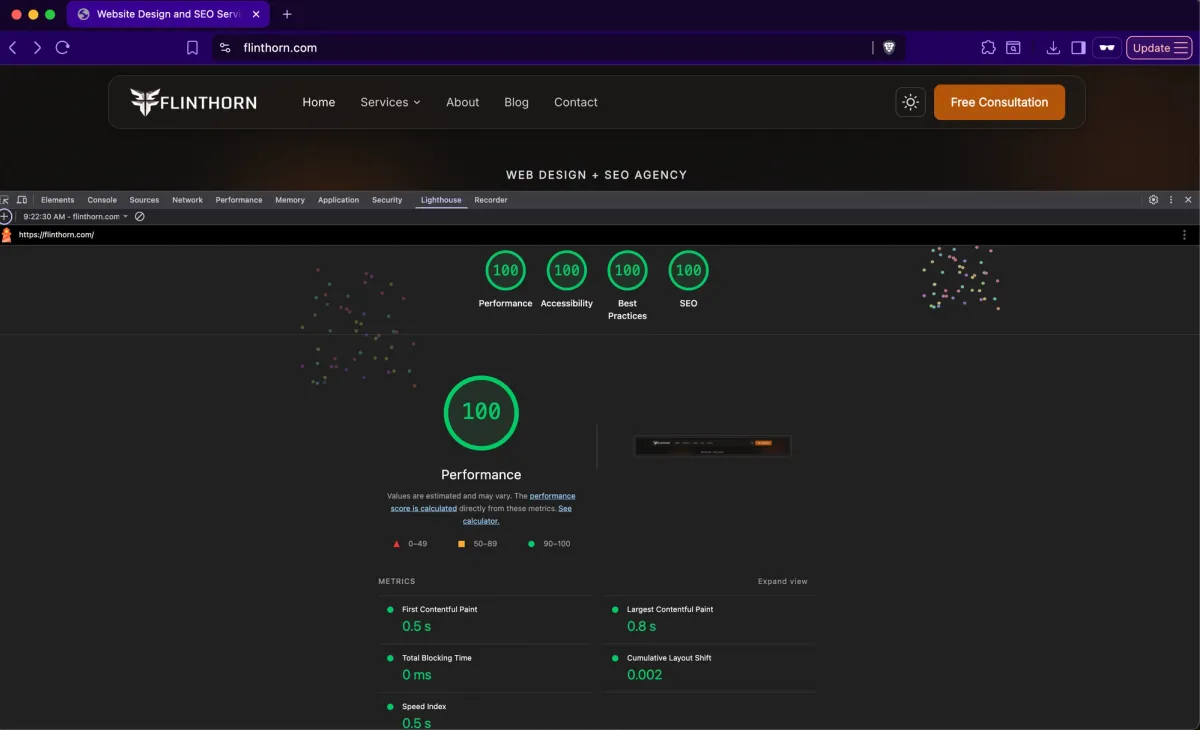
A perfect Lighthouse score isn't a vanity metric. It's a direct signal to Google that your site loads fast, works for everyone, follows best practices, and is built for search. Here's what it takes to get there — and what it means for your rankings and conversions.
Migrating off Drupal — whether to WordPress, a headless CMS, or another platform — requires careful planning to protect your content, functionality, and SEO rankings.
Is migrating from Drupal to WordPress worth it? Here’s an honest look at the benefits, the trade-offs, and how to know if it’s the right move for your organization.